How to download Twitter videos, GIFs, and images using SnapTwitter
In this article, we'll show you how to download videos from Twitter. SnapTwitter is a tool that makes it easy to download your favorite tweets and videos.
Currently, Twitter does not support saving photos or videos directly to your device's storage. To download Twitter content to your device, you need a third-party downloader like SnapTwitter.
SnapTwitter is a Twitter downloader that helps you download videos from Twitter at the highest quality — HD, 1080p, 2K, or 4K, with sound. It works right in your web browser with no software installation required, and supports Android, iPhone, and iPad devices.
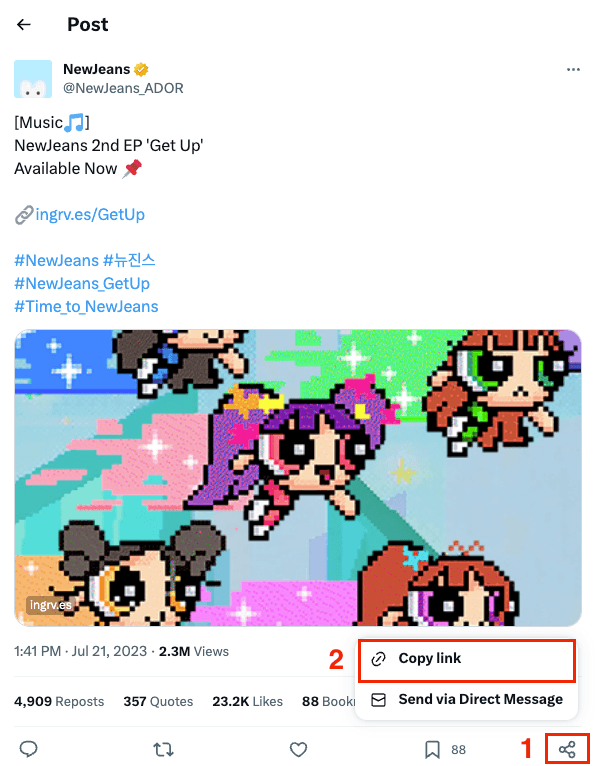
- Step 1: Find the video you want to download. Click the Share button and copy the tweet link.
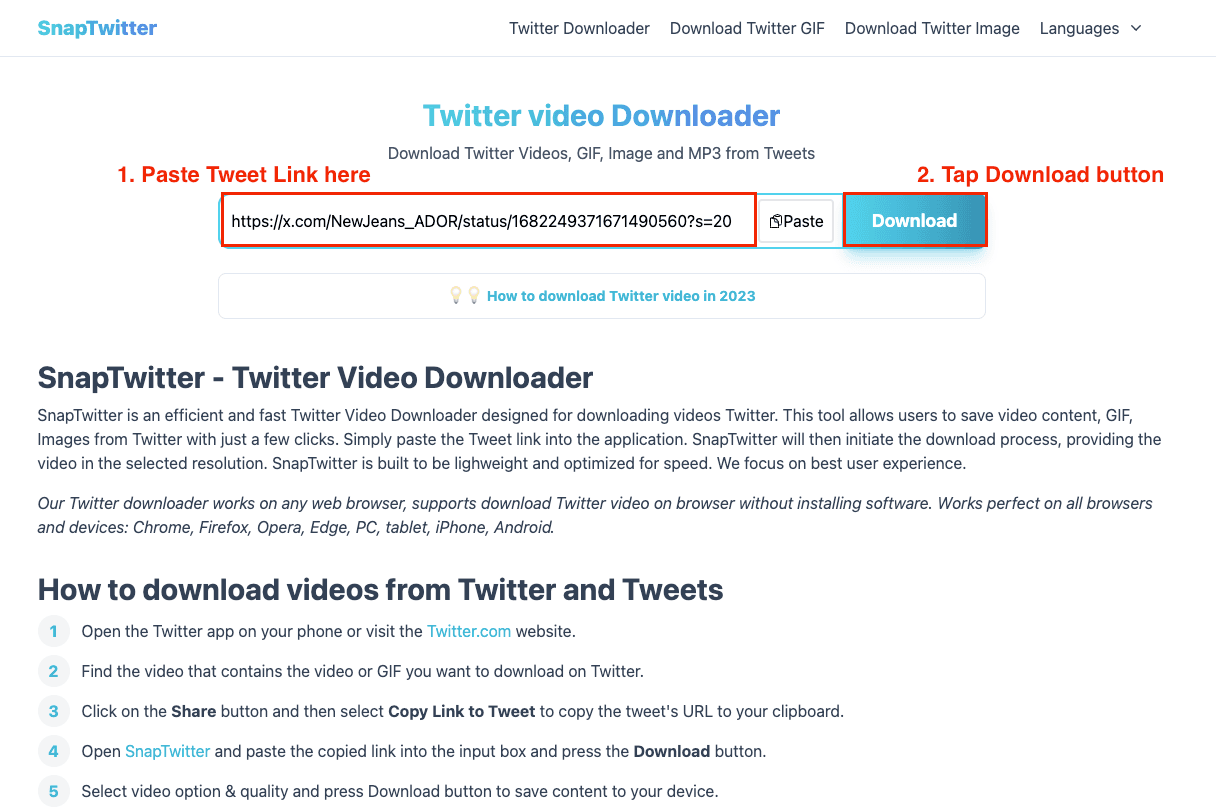
- Step 2: Paste the tweet URL into the downloader and press the Download button.
Now you can easily download Twitter videos to your device and enjoy them whenever you want, even without an internet connection. Always make sure you have the necessary permissions to download and use the content you access from Twitter 😚